Making my self-hosted projects fail ... gracefully?
My server can go offline. At least now there's a page for that!
Most of my projects, including this blog, run on infrastructure I control. Which is great until something stops responding, I need to turn it off for a while, or my internet simply dies.
A maintenance page hosted on the same machine obviously doesn't help much when that machine is the thing that went down. Putting it in a separate container on my NAS would still leave it dependent on the same hardware and connection.
So I wanted a fallback that lived elsewhere, stayed free, and needed very little setup or maintenance. Something I could use across my self-hosted sites to let visitors know when a service was temporarily unavailable.
Cloudflare Workers: A very neat solution
My setup already uses a Cloudflare Tunnel to expose services running on my NAS. Requests pass through Cloudflare, so it was a convenient place to add a small Cloudflare Worker.
Its job is simple: forward requests to the intended service, then replace outright failures or server errors with a custom maintenance page.
Because the response comes from Cloudflare, it can still be served when the NAS, a Docker container, the reverse proxy, or the tunnel connection is unavailable. The applications themselves don't need any changes.
For a small personal site, it can stay within the Workers free tier, which currently includes 100,000 requests per day. Those are requests, though, not visitors: images, scripts, and other files matching the route count too.
First, make sure the Worker actually runs
Before attaching anything to the live domain, the first test is deliberately boring: make the Worker always return a simple response, deploy it, and open its temporary workers.dev URL.
Then connect it to the domain. I'll use vulptik.dev, where this blog lives, as the example here.
For this setup, I used a Worker Route. A Custom Domain makes the Worker the origin; a Route puts it in front of an existing one. My DNS record still points to the Tunnel and is proxied through Cloudflare, which is required for the Route to intercept requests.
With the Route attached, an obvious response makes the next check easy:
Once that appears on the public site, the routing is proven and the real logic can go in.
The wildcard that missed the root domain
This was the annoying configuration detail. I had subdomains going through the Worker, while https://vulptik.dev/ wasn't.
These two patterns cover different hosts:
The second covers subdomains. It doesn't cover the bare vulptik.dev domain, also called the apex. Adding the explicit apex Route fixed that.
Together, these let me cover the root domain and projects on subdomains. For a narrower scope, use explicit hostnames instead of the wildcard. Routes pointing to the same Worker also share its manual maintenance switch.
The actual fallback logic
Once routing was working, the main logic was small:
On a Route, fetch(request) continues to the origin defined by the normal Cloudflare DNS setup, which in my case leads through the Tunnel. It doesn't keep calling the same Worker again.
There are two failure paths because a failed request doesn't always throw an exception. try/catch handles a fetch that fails outright. The status check handles a response that came back with a 5xx error, whether from the application or the proxy on the way to it.
A 404 still passes through: a missing page doesn't mean the service is down.
For planned work, I can change the switch and deploy the Worker:
That skips the origin request altogether. When I'm done, I set it back to false and deploy again.
A tiny page, with the right response
The maintenancePage() function returns the embedded HTML with these response options:
MAINTENANCE_HTML contains the complete page and its CSS as a string. For a single static fallback, I didn't need another hosting service, DNS entry, or redirect. Everything needed to display it is included, with no external fonts or images to fetch.
The 503 Service Unavailable status matters. Returning 200 would tell crawlers and other clients that this was a successful response for the requested resource. 503 tells them the service is temporarily unavailable, while the browser still displays the explanation.
no-store prevents the response from being cached and lingering after recovery. Retry-After: 300 asks clients to wait five minutes before trying again; it doesn't automatically reload the browser or promise the work will be finished by then.
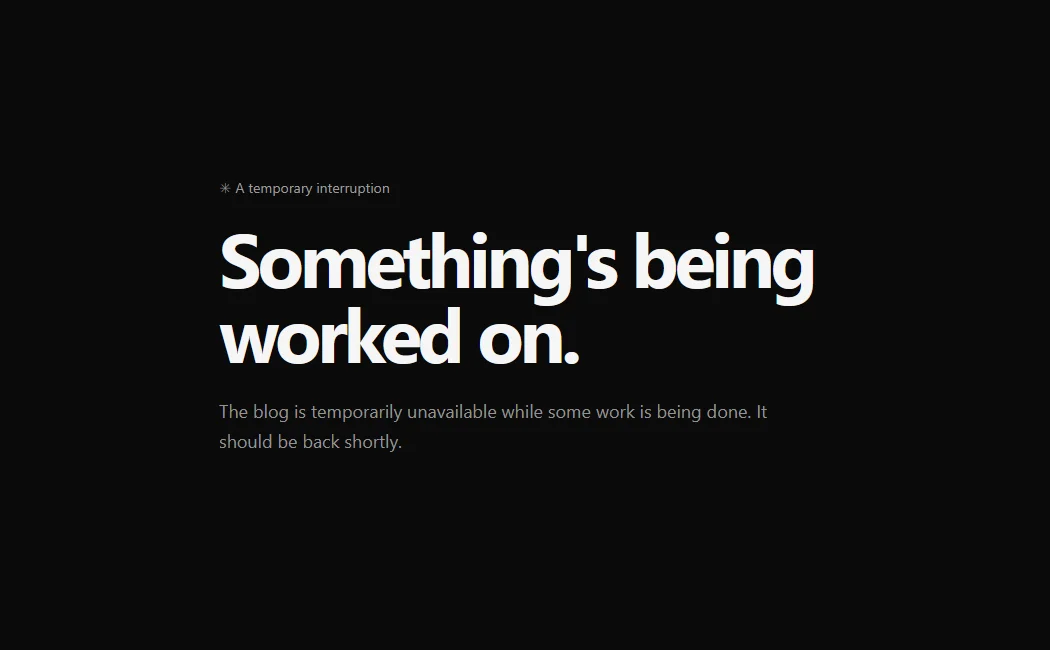
I kept the design close to this site's style: a dark background, simple typography, and very little on it. Here's the version used for this blog:
No header, footer, navigation, or controls that wouldn't be useful while the site is down. Just enough to explain the interruption.
Checking an actual outage
The final test was straightforward: I stopped the Docker container serving the blog on my NAS and reloaded the public site.
The custom page appeared instead of an origin or tunnel error.
That tested a stopped container, rather than a full NAS or connection outage. Cloudflare still needs to be available, of course. There's also a delay while the origin request fails; manual maintenance mode avoids that wait when I already know a service is going offline.
Cleaning up the temporary URLs
After testing, the Worker's public workers.dev production URL and preview URLs can be disabled in Cloudflare's dashboard. The configured domain Routes keep working, so the temporary addresses are no longer needed.
I still have services to maintain and things that can go wrong at home. But I can now take a project offline with a useful explanation waiting for visitors, and use the same setup when an outage wasn't planned.